AS

Asana Exporter

Asana Exporter is a Google Sheets™ add-on by Cody Labs that exports your Asana projects and portfolios into a Google Sheet, on demand or on an automatic hourly, daily, or weekly schedule — on any Asana plan, with no row cap.

Live

Install from Google Workspace Marketplace

What is Asana Exporter?

Asana Exporter is a Google Sheets™ add-on published by Cody Labs. Its purpose: it connects to your Asana account using a personal access token you provide, and exports any project or portfolio into the Google Sheet you run it in — with all standard and custom fields intact — so teams can build reports and dashboards without manual CSV exports. Unlike Asana's own native Sheets export (which is gated to Advanced and Enterprise plans and capped at a few hundred rows), this add-on works on every Asana plan tier, supports unlimited rows, and can refresh on a schedule. The add-on accesses only the spreadsheet it runs in, and your data flows directly from Asana to your spreadsheet: we operate no servers and never receive your project data. See the privacy policy for full details.

What it does

Any Asana plan

Works on Starter, Team, Business, and Enterprise plans — no Advanced/Enterprise gate like Asana's native export.

No row cap

Asana's native export caps at a few hundred rows. This add-on has no artificial limit.

Projects & portfolios

Export a single project or combine every project in a portfolio into one spreadsheet.

Scheduled refresh

Manual, hourly, daily, or weekly automatic updates to keep your reports current.
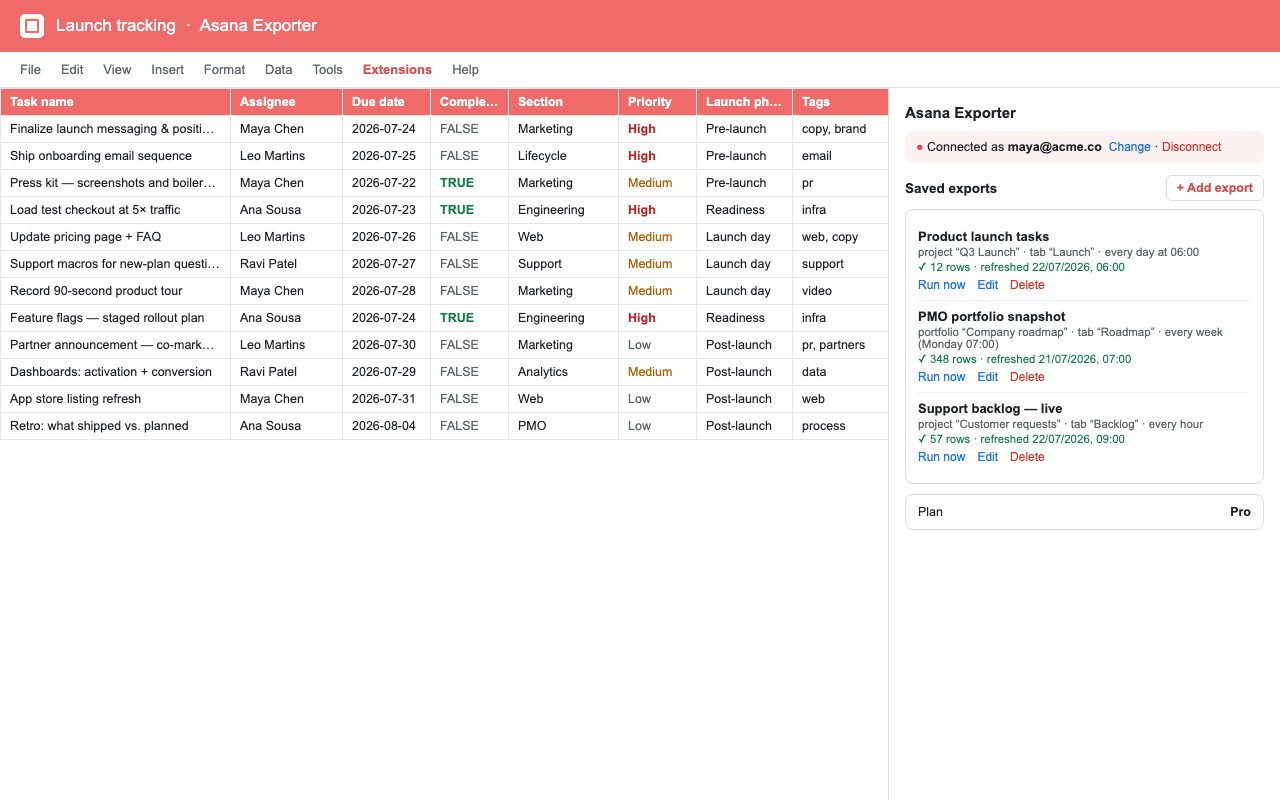
A Google Sheet listing Asana tasks with columns for task name, assignee, due date, completed, section, priority, launch phase, and tags, next to the Asana Exporter sidebar showing three saved exports with their source, schedule, and last-refreshed row count.

How it works

Three steps to a spreadsheet that keeps itself current — on any Asana plan, with no row limit.

  1. Connect your Asana account

    Paste a personal access token from Asana into the sidebar and click Test & save. The connection is checked before it is stored, so you know immediately whether it worked.

  2. Pick a project or a whole portfolio

    Export a single project, or select a portfolio and combine every project inside it into one sheet. Asana's own CSV export caps out after a few hundred rows; this one doesn't, and it doesn't require an Advanced or Enterprise plan.

  3. Export now, or on a schedule

    Run it manually whenever you need a snapshot, or set an hourly, daily, or weekly refresh so the reporting sheet is up to date before anyone opens it.

What you need before you start

  • An Asana account on any plan, and a personal access token from it.
  • A Google account with edit access to the destination spreadsheet.
  • No Asana admin rights, and no Advanced or Enterprise upgrade.

Pricing

Free Asana portfolio report template

Start with a formula-driven dashboard, sample tasks, status rules, due-date KPIs, project summaries, and a native chart—then replace the sample with your own portfolio export.

Preview and download the template
Free
$0
  • 1 saved export
  • Manual refresh
  • All fields & custom fields
Pro
US$10/mo
  • Unlimited saved exports
  • Hourly / daily / weekly
  • Everything in Free
Get Pro — US$10/mo

You'll get your license key by email after checkout — sign in to your account portal to copy it.

Frequently asked questions

Do I need an Asana Advanced or Enterprise plan?

No — this works on any Asana plan (Starter, Team, Business, or Enterprise), unlike Asana's own native Sheets export which requires Advanced or Enterprise.

Is there a row cap on export?

No — Asana's native export caps at a few hundred rows, but this add-on has no artificial limit beyond Excel and browser memory.

Can it export a whole portfolio?

Yes — export all projects inside a portfolio and combine them into one spreadsheet for portfolio-wide reporting.

Related products

Zendesk Exporter

The same scheduled Sheets export pattern, for Zendesk ticket views and searches.

Sheet Sync for Jira

Scheduled JQL and saved-filter imports from Jira into Google Sheets.