Sheet Sync for Jira is a Google Sheets™ add-on by Cody Labs that imports your Jira Cloud issues into the spreadsheet by JQL or saved filter — every field including custom fields, no row cap, and scheduled refresh so your reports stay current.
Live
Install from Google Workspace MarketplaceSheet Sync for Jira is a Google Sheets™ add-on published by Cody Labs. Its purpose: it connects to your Jira Cloud site (with an API token you provide) and imports the issues matching a JQL query or saved filter into the Google Sheet you run it in — on demand or on an automatic hourly, daily, or weekly schedule — so teams can build reports and dashboards without exporting CSVs by hand. The add-on accesses only the spreadsheet it's installed in, and your data flows directly from Jira to your sheet: we operate no servers and never receive your issues or credentials. See the privacy policy for full details.
Import by any JQL query, or pick a saved filter (your favourites first). No 1,000-row cap — it pages through the entire result set.
Standard and custom fields. Objects and arrays flatten to readable values, and rich-text descriptions convert to plain text — no more [object Object].
Manual, hourly, daily, or weekly, with a last-refreshed stamp on every tab. Large pulls continue in the background, so they never time out mid-import.
Your Jira API token stays in your Google account's add-on storage. Issue data goes straight from Jira to your sheet — we run no servers.
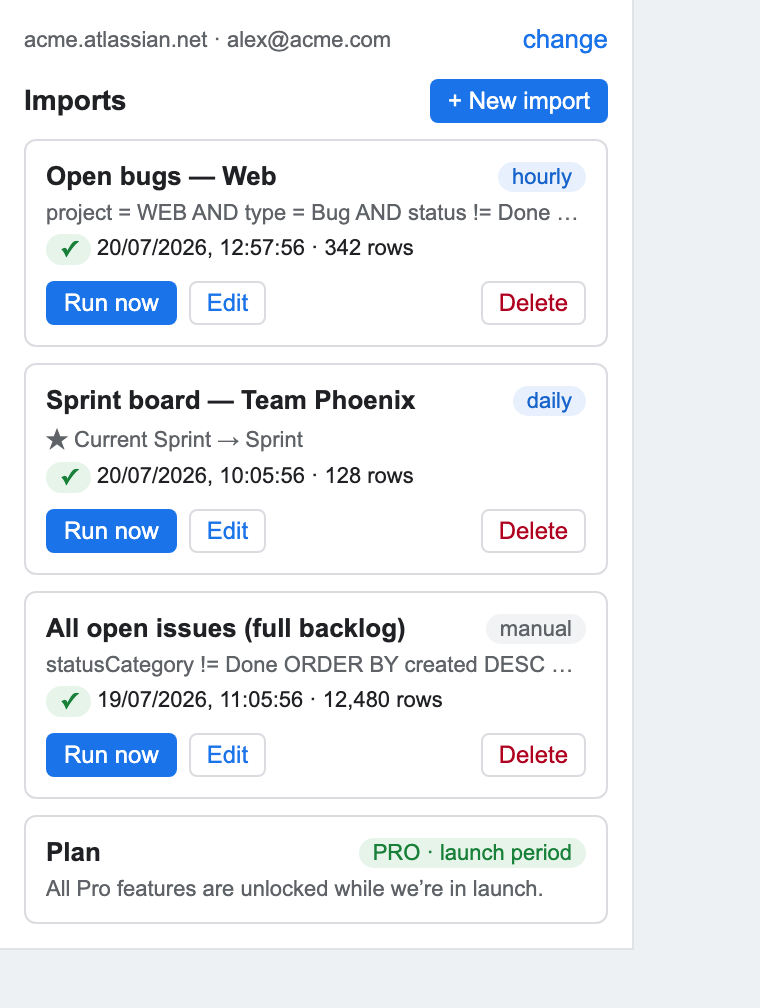
Four steps inside the sheet you already report from. Your Jira query stays the source of truth — the add-on just keeps the sheet in step with it.
Open the sidebar from Extensions › Sheet Sync for Jira and click Connect to Jira. You paste your Jira site, your email, and a Jira API token — created from your Atlassian account under Security › API tokens, which takes about a minute. Access is read-only, the token is stored per user, and it is never written into the spreadsheet.
Paste any JQL, or pick one of the saved filters your team already maintains. Click Validate to check the query's syntax and run it against your Jira site before you import anything, so you catch a broken or rejected query before committing to a full import.
Standard fields, custom fields, arrays, users, options, and rich-text (ADF) descriptions are all flattened into readable cells — not raw JSON. You pick which ones become columns.
Click Run now for a one-off import. Large results are paged through with continuation jobs, so you don't hit a row cap or get silently truncated data. Set an hourly, daily, or weekly schedule and the sheet refreshes itself.
You'll get your license key by email after checkout — sign in to your account portal to copy it.
Can I export Jira issues to Google Sheets with JQL? Yes. Add a JQL query or choose a saved filter, select the fields, and the results are written to a sheet tab you pick.
Can the Jira-to-Sheets export refresh automatically? Yes. Saved imports can refresh on an hourly, daily, or weekly schedule, and each tab is stamped with its last-refreshed time.
Does it silently stop at a fixed row limit? No. Long imports use resumable pagination and continue in the background; a partial run is clearly marked in the sheet rather than quietly treated as complete.
Is this an official Atlassian or Google product? No. It is an independent Google Sheets add-on published by Cody Labs.
Scheduled Zendesk ticket exports to Google Sheets, from any view or search.
Scheduled Asana project and portfolio exports to Google Sheets, on any Asana plan.