Excel Import & Export for Jira
Purpose: this Jira Cloud app (built on Atlassian Forge), published by Cody Labs, exports any JQL result to a real .xlsx workbook with no row cap, and imports spreadsheets back into Jira with column-to-field mapping and a dry-run preview before anything is committed.
All processing happens in your browser inside Jira, acting as you. Issue data and workbooks never leave the Atlassian platform; we operate no servers — zero data egress by design.
Move Jira issues through an Excel workflow
- Export JQL results and saved filters to a real `.xlsx` workbook with typed cells and a frozen header.
- Page through large searches rather than stopping at a 1,000-row export.
- Map Excel or CSV columns to Jira fields, then create or update issues as the current user.
- Review a dry run for field access, values, users, and issue matches before anything is committed.
Can I export more than 1,000 Jira issues to Excel? The app pages through JQL results and generates an Excel workbook for large exports.
Do imports require a Jira administrator? The app respects the current user's Jira permissions rather than using an administrator-only import path.
How it works
- Open it from inside JiraThe app is an Atlassian Forge app, so it appears in your Jira Cloud site once installed — nothing to run locally, and no separate sign-in. It acts as you and respects your existing Jira permissions.
- Export a JQL result or saved filterPoint it at any JQL query or a filter your team already maintains. It pages through the whole result set instead of stopping at 1,000 rows, and produces a real
.xlsxworkbook with typed cells and a frozen header.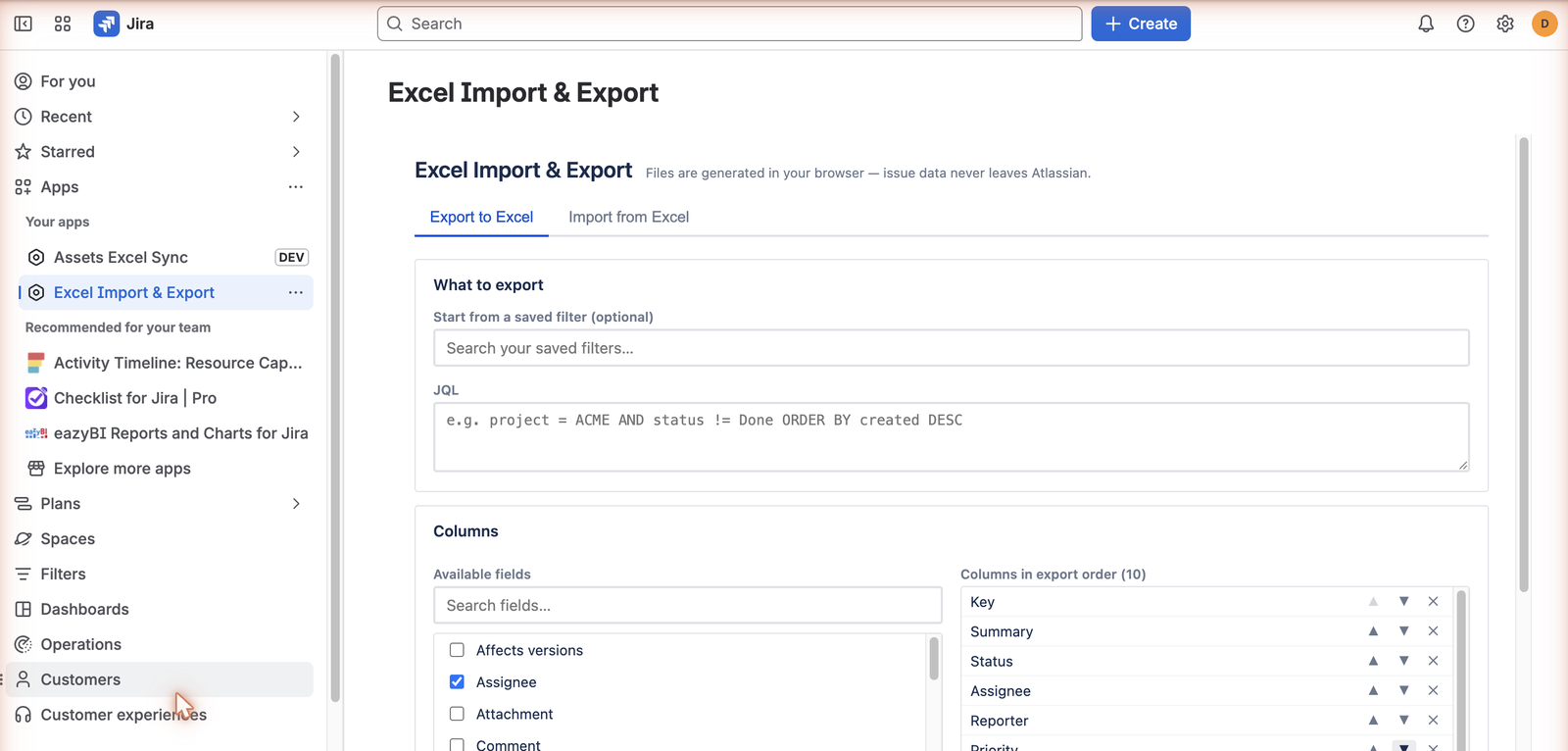
Start from a saved filter or JQL, then choose which fields become columns and in what order. - Edit the workbook, then map the columns backBulk-edit in Excel or hand it to someone for review. When you import, you map spreadsheet columns to Jira fields — and you can save that mapping as a preset so the next round trip is one click.
- Check the dry run before anything commitsThe dry run validates issue access, editable fields, option values, users, and parsed values, and shows what would change. Only when you accept it does anything get written to Jira.
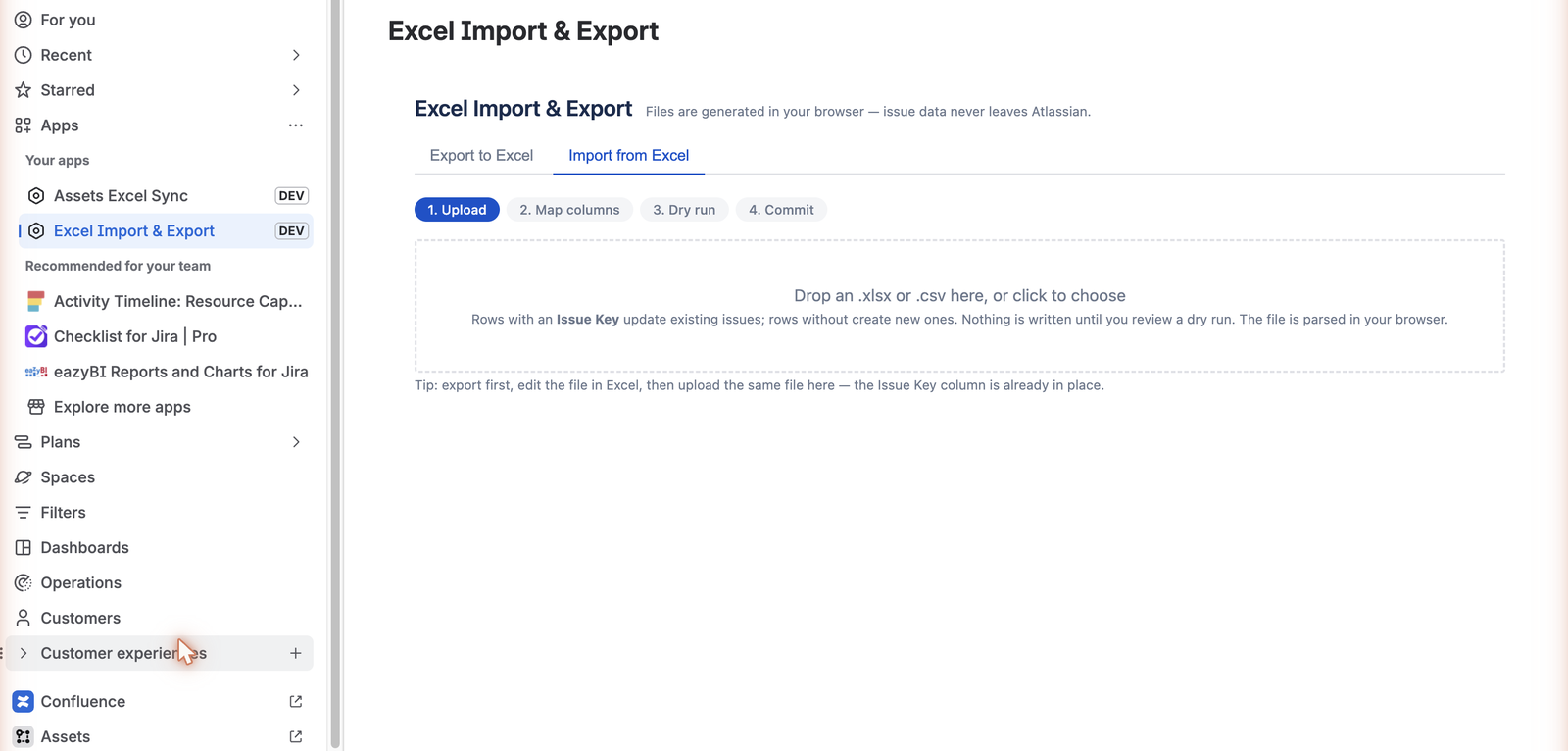
Import runs as four stages — nothing is written to Jira until you have reviewed the dry run.
- A Jira Cloud site with the app installed, and permission to view the issues you export.
- Permission to edit those issues if you intend to import changes back.
- Excel or any tool that reads .xlsx — there is no server to run and no data leaves Atlassian.
Pricing and availability
30-day free trial, then US$20/month for Jira sites with 1–10 users. Larger sites use progressively discounted Atlassian Marketplace volume tiers.
Live
Install from Atlassian Marketplace