Most Azure DevOps wiki export tools are pipeline tasks that produce a PDF. This extension runs from the browser and produces an editable Word file, one document for a subtree or the whole wiki.
Install from the Azure MarketplaceWiki to Word Export for Azure DevOps is an Azure DevOps extension published by Cody Labs. Open a project, choose Repos → Wiki Export, pick a wiki and a starting page, and download one .docx. Page order comes from the wiki's .order files. Heading levels shift with tree depth. Wiki attachments are embedded and scaled to page width. Links between wiki pages become bookmarks inside the document. A real Word table of contents field is included, and Word asks to update fields when you open the file. The extension runs inside its own hub iframe using your own Azure DevOps session. We operate no servers and never receive your wiki content. See the privacy policy for details.
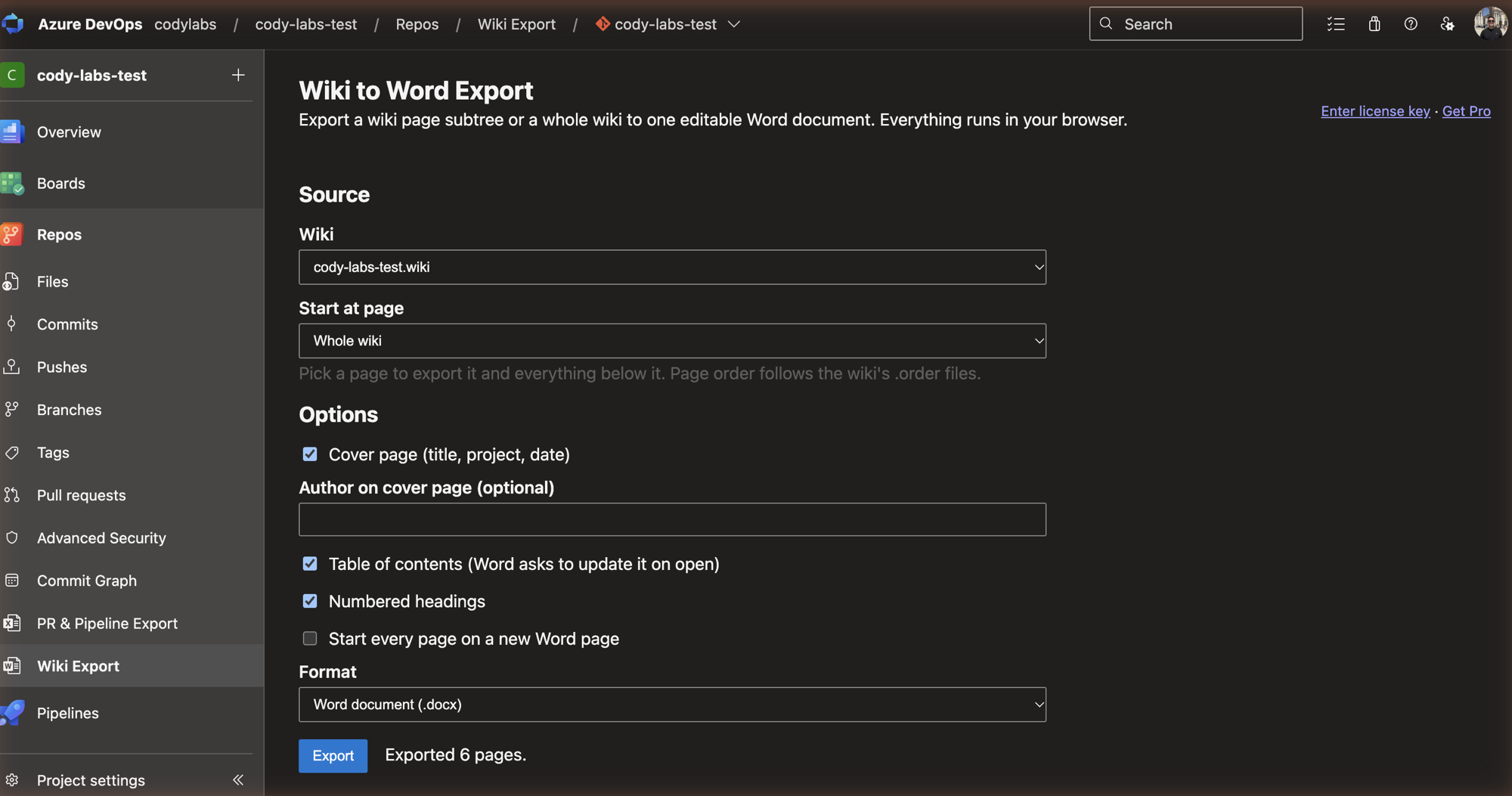
Export a page subtree or the whole wiki to a single .docx, with pages in the order set by the wiki's .order files.
A table of contents field, heading levels shifted by depth, optional numbered headings, tables, nested lists, task lists, and code in a monospace style.
PNG, JPEG, and GIF attachments are embedded and scaled to page width. Relative, absolute, and full wiki URLs and heading anchors become bookmarks.
Runs in your browser using your Azure DevOps session. No pipeline, no agent, no token setup, and no Cody Labs server.
In Azure DevOps, open a project and choose Repos → Wiki Export.
Choose a project wiki or code wiki, then export the whole wiki or a single subtree. Turn on a cover page or numbered headings if you want them.
The extension reads the pages and attachments through the Azure DevOps REST API and builds the document in your browser.
Download the .docx and open it. Word asks to update fields. Accept, and the table of contents fills in.
No. It produces an editable .docx. Export from Word if you need a PDF.
No. The extension calls the Azure DevOps REST API from your browser using your own session. The only outside call is the license key check against Polar, which sends the key and nothing else.
The free plan exports up to 10 pages per export and adds a small footer line. Pro removes both.
Pro is sold through Polar and unlocks with a license key pasted into the extension. The buy button appears when the extension is published.