PP
Live — v0.1.2

PR & Pipeline History Export for Azure DevOps

Existing pull request tools for Azure DevOps are dashboards you can only look at. This extension exports the history to a typed .xlsx workbook: pull requests with review timing, pipeline runs with results and durations, test runs with pass rates, and a summary sheet you can chart or hand to a manager.

Install from the Azure Marketplace

What is PR & Pipeline History Export for Azure DevOps?

PR & Pipeline History Export for Azure DevOps is an Azure DevOps extension published by Cody Labs. Open a project, choose Repos → PR & Pipeline Export, pick a date window, and download one workbook. The Pull Requests sheet lists each pull request with its branches, author, reviewers and votes, iterations, comment threads, hours to first review, hours to merge, and linked work item count. The Pipeline Runs sheet lists each run with its result and duration. The Test Runs sheet lists pass and fail counts. A Summary sheet gives counts, median hours to merge per repository, and success rate per pipeline. The extension runs inside its own hub iframe using your own Azure DevOps session. We operate no servers and never receive your data. See the privacy policy for details.
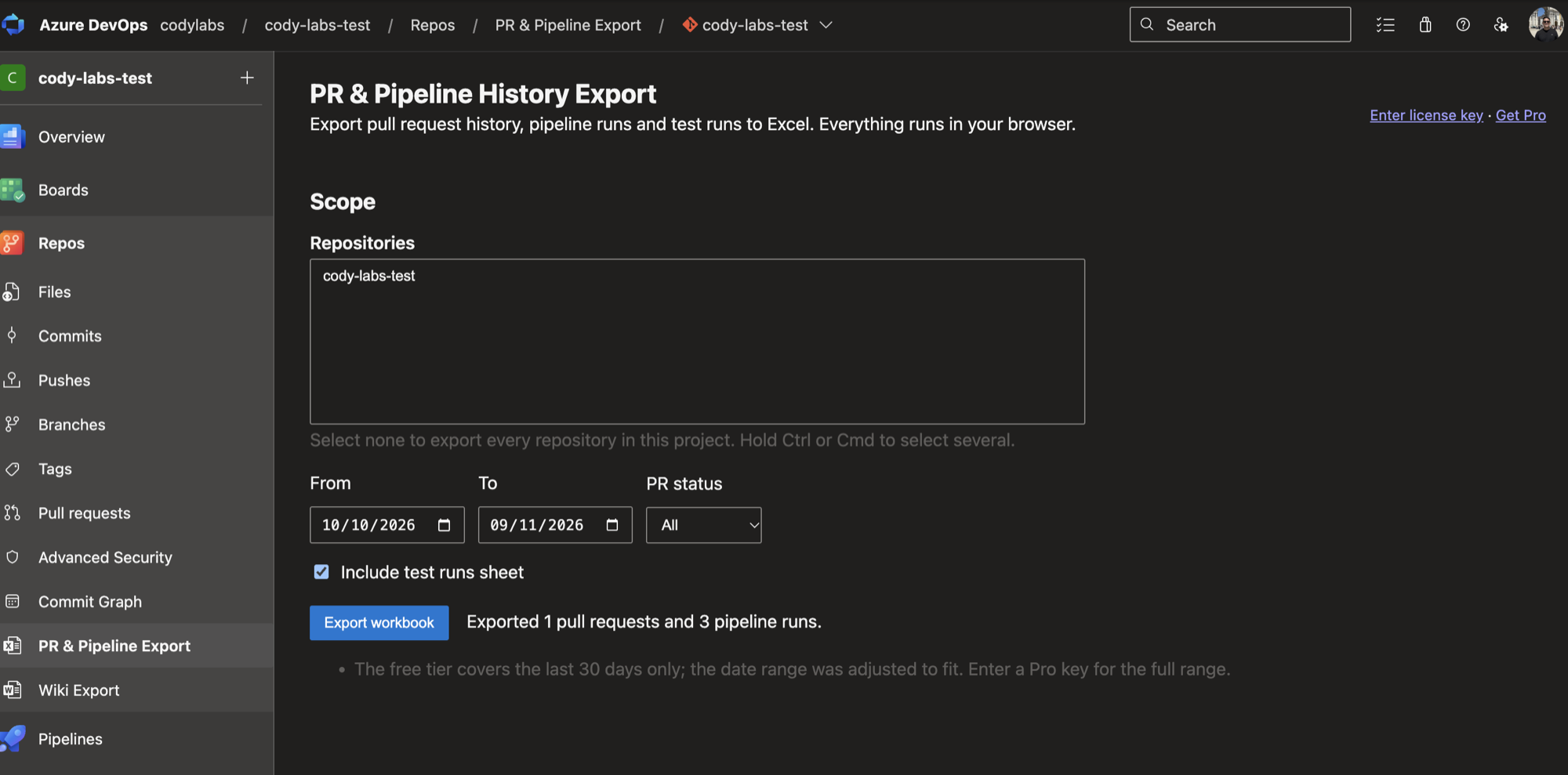
PR and Pipeline History Export hub in Azure DevOps after exporting pull requests and pipeline runs

What it does

Pull request history

Id, title, repository, branches, author, dates, status, merge status, reviewers with votes, iterations, comment threads, and linked work item count.

Review and merge timing

Hours to first review and hours to merge for every pull request, plus the median per repository on the Summary sheet.

Pipeline and test runs

Run result, branch, reason, requested by, queued, started and finished times, duration, and pass rate for each test run.

Typed workbook, client-side

Real Excel dates and numbers, a styled frozen header, and formula-safe text. Everything runs in your browser. There is no Cody Labs server.

How it works

  1. Open the hub

    In Azure DevOps, open a project and choose Repos → PR & Pipeline Export.

  2. Choose a date window

    Pick the period to export. The free plan covers the last 30 days. Pro has no date limit.

  3. Export

    The extension reads pull requests, pipeline runs, and test runs through the Azure DevOps REST API, handles paging and rate limits, and builds the workbook in your browser.

  4. Download and analyse

    The .xlsx downloads to your device. Filter it, pivot it, or chart the Summary sheet.

What you need before you start

  • An Azure DevOps organization and permission to view the repositories, pipelines, and test runs you export.
  • Excel or any tool that reads .xlsx. There is no server to run, and no data leaves Azure DevOps.

Use cases

Frequently asked questions

Does this send my pull request data anywhere?

No. The extension calls the Azure DevOps REST API from your browser using your own session. The only outside call is the license key check against Polar, which sends the key and nothing else.

Is there a row limit?

The free plan exports the last 30 days and the first 200 rows per sheet. Pro removes both limits.

Which permissions does it need?

Three read-only scopes: vso.code, vso.build, and vso.test. It cannot change repositories, pipelines, or tests.

Pricing

Free
$0
  • Last 30 days
  • First 200 rows per sheet
  • All four sheets
Pro
US$10/mo per organization
  • No date window and no row limit
  • US$100/year option
  • One license key covers the organization
Get Pro: US$10/mo

Pro is sold through Polar and unlocks with a license key pasted into the extension. The buy button appears when the extension is published.